Skip to content
111xx Live / Sports
LIVE LOBBY

111xx — Slots, Live Tables and Cricket Betting in One Place

Raast instant bank transfers and Debit Card deposits are configured here, so you can fund your account and move straight to the games you came for. Slots from CQ9 and PG Soft, live casino tables, and a sportsbook covering PSL and international cricket — all accessible where local law permits.

JazzCash Easypaisa Raast
Browse games
CONTENT / 01

PSL, Test Cricket and Match Betting in the Sportsbook

The sportsbook section covers PSL and international cricket as the primary markets for Pakistan players, alongside other sports. Cricket betting is the category we've built the sports section around — PSL fixtures, T20 internationals and Test matches are all represented in the markets available during active tournaments and series.

  • PSL Match Markets

    PSL fixtures are listed in the cricket section of the sportsbook when matches are scheduled. The markets shown for each PSL game cover the bet types the sportsbook has priced for that fixture — match winner, innings totals and other available options are displayed on the match page.

  • International Cricket

    International cricket — T20 internationals, ODIs and Test series involving Pakistan — appears in the sportsbook alongside PSL. The coverage depends on the current fixture calendar; the sports section shows which matches are live and upcoming at any given time.

  • Football Betting Markets

    Football Halftime Bet and Football Lucky Bet are both available in the sports section. Football Halftime Bet covers half-time outcomes on selected matches.

ACCOUNT CONFIDENCE

What You Can Check Before You Play

Before you put money in, it helps to know exactly what you're working with. The payment routes shown at checkout are the ones actually configured on your account — Raast as the primary path, Debit Card as the ready alternative.

  • Verified Payment Routes

    Raast and Debit Card are the two payment paths configured here. When you open the deposit screen you'll see which routes are active for your account. Every transaction is recorded in your wallet history, accessible from the account dashboard after you log in — no need to contact support to confirm a deposit landed.

  • Studio-Sourced Game Content

    Every title in the lobby comes from one of six studios: CQ9, PG Soft, Microgaming, Spadegaming, PlayStar or Habanero. That means you're playing content from developers who publish their own game rules and mechanics.

  • Account-Level Access Control

    What you see in the lobby and at checkout reflects your account's configured access. Payment limits, eligible games and available regions are set at the account level.

  • Local Law and Eligibility

    Access to games and payment services depends on local law and is available where local law permits. We don't make eligibility claims that override applicable local rules. If your account shows limited options, check the eligibility notice in your dashboard — it will tell you which services are accessible for your region and account type without needing to contact support first.

TRUST / 03

Reach the Support Team from Your Account

Support is reachable through the help section inside your account dashboard — look for the chat icon after you log in. Account questions, payment queries and game access issues are all handled through the same channel, so you don't need to find a separate contact page.

  • Live Chat in Your Dashboard

    Once you're logged in, the chat icon in your account dashboard connects you directly to the support team. This is the fastest way to raise a payment question or flag an account issue.

  • Payment and Wallet Help

    Deposit and withdrawal questions are handled through the same support channel. If a Raast transfer hasn't reflected in your wallet, or a Debit Card deposit is showing pending, the support team can check the payment status against your account record.

  • Account Verification Guidance

    Wallet verification and account eligibility checks are part of the standard account process. If your withdrawal is on hold pending verification, the support team will tell you which documents or steps are needed for your account specifically.

Learn more →
111XX
Mobile casino lobby
Popular Live Slots
Baccarat FireStorm Teen Patti Spin Football Halftime Bet
MOBILE LOBBY

Built for phones, clear on desktop

Cards, tables, FAQ and policy pages stay easy to read on smaller screens.

  • Quick categories
  • Mobile first
  • Access
App
CONTENT / 03

The Full Lobby Fits in Your Pocket

The 111xx lobby is built to run on your phone the same way it runs on desktop — the game categories, your wallet balance and the deposit screen are all reachable from the same menu you'd find on a larger screen.

  • One-Tap Lobby Access

    The mobile menu puts your account, wallet and game categories in one place. CQ9 and PG Soft titles load in the horizontal game rail at the top of the screen, with live tables and the sportsbook one tap below.

  • Wallet Visible at All Times

    Your wallet balance sits in the header across every screen on mobile — lobby, game, sportsbook and payment. That means you always know what's in your account before you place a bet or spin a reel.

  • Cricket and Casino Side by Side

    PSL markets and cricket betting sit next to the casino lobby in the mobile menu, not in a separate app section. Move from a Football Halftime Bet market to a Teen Patti Spin table without closing a tab or logging in again.

ACCOUNT PATH

Four Steps from Account Open to Playing

Getting from a new account to an active game session is a short path here. The account creation form asks for your contact details and sets up your login. Once your account is open, the deposit screen shows your configured payment options — Raast first, Debit Card as the alternative.

  1. Open Your Account

    The account creation page asks for your contact details and a login password. Fill in the fields as shown — the form tells you if anything is missing before you submit. Once the account is created, you'll land on your dashboard where your wallet balance, payment options and the game lobby are all accessible from the same screen.

  2. Choose Your Deposit Route

    The deposit screen shows Raast and Debit Card as the configured options. Raast works through your bank's instant transfer service — enter the amount, confirm in your banking app and the funds move to your wallet. Debit Card follows the card fields shown on the payment screen. Both routes record the transaction in your wallet history the moment the payment confirms.

  3. Fund Your Wallet

    After you pick your route, the payment screen shows the exact fields and limits for that method. Enter the amount, follow the confirmation steps your bank or card network requires, and the confirmed deposit appears in your wallet balance.

  4. Jump Into the Lobby

    With a funded wallet, the lobby is open. Slots from CQ9, PG Soft and Habanero load in the game rail; live tables from Microgaming and Spadegaming are in the live casino section; the sportsbook with PSL and cricket markets is in the sports tab.

MEMBER DESK / 06

Offers, support and account controls

01

Game lobby

02

Support

LOCAL PAYMENTS

Raast and Debit Card — How Each Route Works

Raast is the primary deposit path on 111xx because it uses Pakistan's interbank instant transfer network — the same infrastructure your bank already connects to. When you select Raast at the deposit screen, the amount moves from your bank account directly to your 111xx wallet using your registered bank account number.

  • Raast Bank Transfer

    Raast connects your bank account directly to your 111xx wallet through Pakistan's interbank instant payment network. Select Raast at the deposit screen, enter the amount, and confirm the transfer from your banking app.

  • Debit Card

    Debit Card deposits use the card fields shown on the payment screen — card number, expiry date and CVV, followed by your bank's own verification step. Pakistan-issued debit cards linked to accounts in the Raast network or standard card networks are accepted where configured on your account.

  • JazzCash

    JazzCash mobile wallet deposits are available on accounts where the option appears at the deposit screen. Enter the amount and follow the JazzCash confirmation steps — the transfer goes from your JazzCash balance to your 111xx wallet. The deposit reflects in your wallet history once the JazzCash transaction confirms.

  • Easypaisa

    Easypaisa works the same way as JazzCash on accounts where it's configured — select it at the deposit screen, enter the amount, and confirm through the Easypaisa flow. The amount moves from your Easypaisa account to your 111xx wallet and appears in your transaction history after confirmation.

JazzCash Pakistan payment context
Easypaisa Pakistan payment context
Raast Pakistan payment context
FEATURE BRIEF / 05

From Teen Patti Spin to Crash Countdown — What's in the Lobby

The lobby runs on content from six studios — CQ9, PG Soft, Microgaming, Spadegaming, PlayStar and Habanero — which means the game selection covers slot reels, live dealer tables and crash-format titles in one place. Teen Patti Spin is a table game variant that plays like the card game Pakistan players already know, with a spin mechanic layered on top.

Game feature guide
  • Teen Patti Spin

    Teen Patti Spin takes the card game format Pakistan players are already familiar with and adds a spin round to the standard deal. It runs as a table game in the casino section, not a slot — so the mechanics are card-based, with the spin feature acting as a secondary round within the same game session.

  • Crash Countdown

    Crash Countdown is a multiplier game: a number climbs from the start of each round and your job is to cash out before the round crashes. The longer you hold, the higher the multiplier — but the round can end at any point. It's a format that plays quickly, which is part of why it works well on mobile.

  • Baccarat FireStorm

    Baccarat FireStorm is a live dealer title — a human croupier deals in real time from a studio feed and you place your bets on Player, Banker or Tie through the on-screen interface. The FireStorm version adds a side-bet feature on top of the standard Baccarat layout, the details of which are shown in the game's rules overlay.

  • Roulette Wildcard

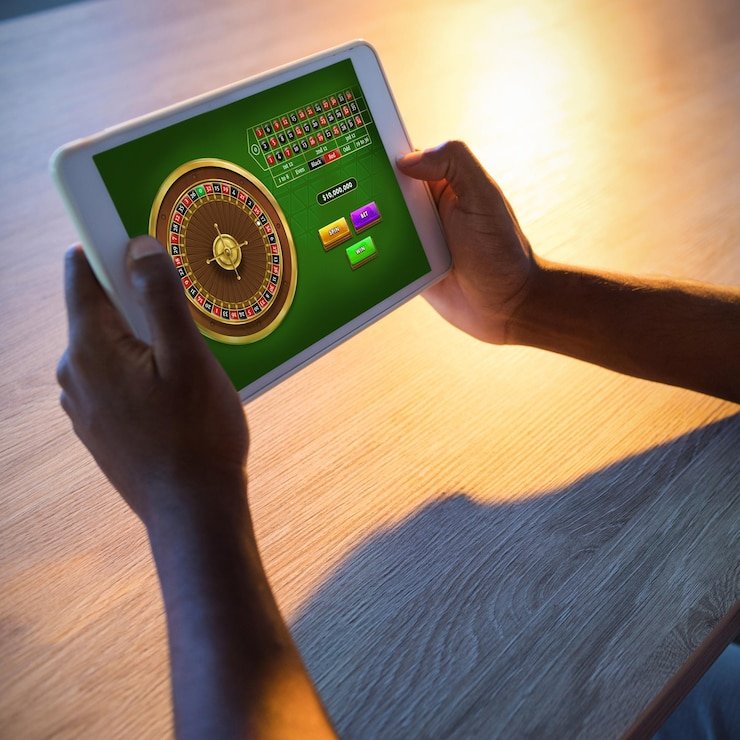
    Roulette Wildcard uses the standard European wheel layout with an additional wildcard betting option that modifies how certain number segments pay. The wildcard mechanic is explained in the game's info panel — it's worth reading before you place a bet since it affects the payout structure for those specific bet types.

DISCOVER / 01

Choose your game

Full lobby
CONTENT / 02

Slots, Live Casino Tables and a Cricket Sportsbook

The lobby brings together slot titles, live casino tables and sports betting markets in one account. Studios in the catalogue include CQ9, PG Soft, Microgaming, Spadegaming, PlayStar and Habanero — between them covering slots, crash games, table games and live dealer formats. The sportsbook section covers PSL and international cricket alongside other match markets.

GAME NETWORK
CQ9
PG Soft
Microgaming
Spadegaming
PlayStar
Habanero
CONTENT / 04

111xx lobby studios

The 111xx lobby carries content from CQ9, PG Soft, Microgaming, Spadegaming, PlayStar, Habanero. To check the studio, rules or features of one specific game, open that game card or the published information panel.

  • CQ9

  • PG Soft

  • Microgaming

  • Spadegaming

  • PlayStar

  • Habanero

ACCOUNT OFFERS AND gameplay

What Your Account Dashboard Shows After Login

Any offer or gameplay active on your account is shown in your account dashboard after you log in — not on a public board or a static page that may be out of date. The current state of what's running is tied to your account specifically, which means two accounts may show different options depending on account history and configured access.

  • Dashboard-Only Offer State

    The current offers on your account are shown in the offers section of your account dashboard after login. This is the only accurate source — what appears there is what's active on your account at that moment.

  • Eligible Games for Credit Offers

    Where an offer involves game credits or slot feature spins, the eligible titles are listed in the offer detail inside your dashboard. The list is specific to that offer — it may cover a subset of the lobby rather than all studios.

  • Withdrawal Path for Offer Amounts

    Any amount won through an offer that meets the stated conditions is added to your wallet and follows the standard withdrawal process. The amount won is visible in your wallet balance after it clears.

Login
PLAYER INDEX / 07

A Short Glossary of Game Mechanics You'll See in the Lobby

Game lobbies use terminology that doesn't always come with an explanation attached. These are short definitions of the mechanics and terms you'll encounter on 111xx — written around the actual game formats in the catalogue rather than generic casino jargon. If a term isn't here, the individual game's rules overlay inside the lobby is the most accurate source for that specific title.

Player guide and glossary
  • What is RTP and where do I find it for a specific game?

    RTP stands for Return to Player — it's a percentage published by the game developer that describes the theoretical long-run payout rate for that title across a large number of rounds. On 111xx, RTP is shown only where the studio or provider has published it for that specific game.

  • What is a bonus round in a slot game?

    A bonus round is a secondary game phase that some slot titles trigger during play, usually by landing a specific combination of symbols on the reels. The bonus round has its own rules — it might involve a different reel layout, a pick screen, or a set of feature spins with modified pay conditions.

  • What does 'crash game' mean and how does Crash Countdown work?

    A crash game is a format where a multiplier rises from the start of a round and your job is to cash out your position before the round ends. In Crash Countdown, the multiplier climbs visibly on screen — the higher it goes, the larger your potential return on the amount you put in, but the round c

  • What is a live dealer table?

    A live dealer table is a casino game — Baccarat, Roulette or a card game variant — where a real croupier deals or spins in a camera-fed studio and you interact with the game through an on-screen interface. Baccarat FireStorm on 111xx is a live dealer title.

  • What is a wildcard mechanic in a table game?

    A wildcard mechanic modifies how certain outcomes pay on top of the standard table rules. In Roulette Wildcard, the standard European wheel layout is the base, and the wildcard option changes the payout structure for specific bet segments when certain conditions are met during a round.

  • What does 'wallet balance' mean and where does it sit?

    Your wallet balance is the amount currently in your account that's available for play or withdrawal. It's separate from any pending deposits or amounts subject to offer conditions — those are shown in their own line in the wallet section.

  • What is the difference between a slot reel and a table game?

    A slot reel is a random-result game format where symbols spin across a set of columns — the outcome of each spin is determined by the game's random number generator. A table game uses a structured ruleset — Baccarat, Roulette, Teen Patti — where the outcome follows from the cards dealt or the wheel spin rather than a random reel result.

LOBBY / 02

One mobile lobby, distinct game areas

Baccarat FireStorm Live Baccarat FireStorm Access → Teen Patti Spin Slots Teen Patti Spin Access → Football Halftime Bet Sports Football Halftime Bet Access → Crash Countdown Slots Crash Countdown Access → Football Lucky Bet Sports Football Lucky Bet Access → Roulette Wildcard Live Roulette Wildcard Access →
EXPLORE FURTHER / 04

Explore detailed guides

Local lobby check

QUICK ANSWERS

Frequently asked questions

These are the questions the support team handles most often — answered here so you can resolve straightforward issues without opening a chat. For anything not covered, the support team is reachable through the help section in your account dashboard after login.

Read FAQ →
How do I deposit using Raast on 111xx?

Open the deposit screen from your account dashboard. Select Raast from the payment options shown — it appears if Raast is configured for your account. Enter the amount you want to deposit and confirm. The transfer uses Pakistan's interbank instant payment network, so the process goes through your bank's own Raast channel.

What do I do if my deposit hasn't shown up in my wallet?

Wait a few minutes and refresh your wallet page — network processing can add a short delay. If the balance hasn't updated after that, locate the transaction reference your bank or payment app sent you when the transfer completed.

Can I withdraw using the same method I deposited with?

In most cases, withdrawals go back through the same payment route used for the deposit — Raast back to the originating bank account, or Debit Card back to the originating card. The withdrawal screen in your account dashboard shows the methods available for your account and any conditions attached.

Is 111xx available in Pakistan and which regions can access the service?

111xx is available where local law permits. Access to games, payment services and sportsbook markets depends on local law and is limited to eligible regions. If you're in Pakistan and your account shows full access after login, the services shown are configured for your account and region.

How do I find the cricket and PSL betting section?

The sportsbook is in the main navigation menu — look for the sports tab from your account home or the lobby header. Inside the sportsbook, cricket is listed as its own category. PSL fixtures appear when matches are scheduled; international cricket fixtures are listed by series. Open a match to see the markets available for that fixture.

What payment methods are configured for Pakistan accounts?

The payment options available to your account are shown on the deposit screen after you log in. Raast and Debit Card are the verified routes on 111xx. JazzCash and Easypaisa are shown on accounts where those options are configured.

How do I contact support if I have an account problem?

Log in to your account and open the help section — the chat icon is visible in the account dashboard. From there you can start a live chat with the support team. Have relevant details ready: the payment method you used, the transaction reference from your bank or wallet app, and the specific account action you were trying to complete.

Where do I see the terms for any offer active on my account?

Offers active on your account are listed in the offers section of your account dashboard after login. Each offer entry includes the conditions attached to it — eligible games, eligible payment routes, any requirements before the offer amount can be withdrawn. Read the conditions in the dashboard before you use an offer.

Does 111xx work on mobile without downloading an app?

The 111xx lobby is accessible from a mobile browser without a separate download. Open the site from your phone's browser, log in with your account credentials, and the lobby loads with the game rail, wallet and navigation adapted for the mobile screen. Raast and Debit Card appear in the deposit section the same way they do on desktop.

READY WHEN YOU ARE

111xx game lobby

Access may be available only where local law permits.

Register Login